
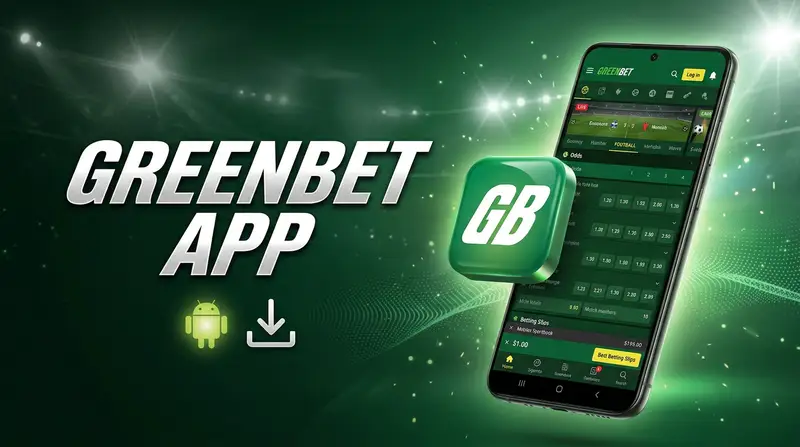
What the app includes
Everything from the website is in the app: sports, live betting, casino, the cashier and live chat. On Android it adds things the browser cannot offer, like a home-screen widget with live scores and a built-in proxy for networks where the site loads slowly.
- Same account and balance as the website.
- Quick login with PIN or fingerprint.
- Push notifications for settled bets and goals.
- Free, with no in-app purchases.
| Android | APK, about 73.7 MB download |
|---|---|
| Installed size | About 227 MB |
| iOS | Web app (PWA), no download |
| Price | Free |
| Languages | English and others |
How to download and install the Android APK
Android blocks apps from outside Google Play by default, so you need to allow one installation from your browser. You only do this once and can switch the permission off after installing.
- Open the official site in Chrome on your phone.
- Scroll to the bottom or open the menu and tap the Android icon.
- Confirm the download of the APK file.
- When Android warns about unknown sources, tap Settings and allow Chrome to install apps.
- Go back, tap Install, then Open, and log in or register.
| Item | Value |
|---|---|
| File type | .apk |
| Download size | About 73.7 MB |
| Space needed | About 227 MB free |
| Source | Official site only |
| Updates | In-app prompt |
Installing the web app on iPhone and iPad
There is no App Store listing for Ghana, but Safari can install the site as a web app. It gets its own icon, opens without the browser bar and keeps you signed in. Updates arrive automatically because the app loads the latest version every time.
- Open the official site in Safari.
- Tap the Share button at the bottom of the screen.
- Choose Add to Home Screen and confirm.
- Open the new icon and log in.
| Feature | Web app | Safari tab |
|---|---|---|
| Own icon | Yes | No |
| Full screen | Yes | No |
| Stays signed in | Yes | Until cookies are cleared |
| Storage used | Minimal | Minimal |
App features compared with the mobile site
The mobile site is fine for a quick bet. If you bet several times a week, the Android app is faster to open and easier to use in live play, especially on a weaker connection.
- Widget with live scores and your open bets.
- Proxy setting for networks where the site is slow or blocked.
- Biometric login and PIN.
- Lighter data use on pre-match pages.
| Feature | Android app | Mobile site |
|---|---|---|
| Sports and live betting | Yes | Yes |
| Casino and live dealers | Yes | Yes |
| Deposits and withdrawals | Yes | Yes |
| Push notifications | Yes | Limited |
| Home-screen widget | Yes | No |
| Built-in proxy | Yes | No |
| PIN / fingerprint | Yes | No |
You can also play slots and live tables in the app: see the casino guide.
System requirements
The app runs on most phones sold in Ghana in recent years, including budget Tecno, Infinix, itel and Samsung models. Storage is the usual obstacle, so clear some space before downloading.
- A reasonably recent Android version with security updates.
- At least 2 GB RAM for smooth live streams.
- A stable 3G, 4G or Wi-Fi connection.
| Spec | Minimum | Recommended |
|---|---|---|
| Android version | Not published by operator | Keep the system updated |
| RAM | 1 GB | 2 GB+ |
| Free storage | 250 MB | 500 MB+ |
| iOS (web app) | Recent Safari | Latest iOS |
Installation problems and fixes
Failed installs usually come down to storage, a blocked permission or an old file left from an earlier download.
- Delete old APK files from the Downloads folder.
- Restart the phone after changing install permissions.
- Download over Wi-Fi if mobile data keeps cutting out.
| Error | Reason | Fix |
|---|---|---|
| App not installed | Old version conflict or low storage | Uninstall the old app, free space, retry |
| Install blocked | Unknown sources off | Allow installs for your browser |
| Parse error | Incomplete download | Delete the file and download again |
| Play Protect warning | App not from Google Play | Tap Install anyway if the file is from the official site |
Installed and ready? Log in or create an account.
Frequently asked questions
Why is the app not on Google Play?
Google Play limits real-money betting apps by country, so the operator distributes the Android version as an APK from its own site. That is normal for international bookmakers in Ghana.
Is the APK safe?
Download it only from the official site. Files shared on Telegram groups or third-party APK sites can be modified. After installing, switch off the unknown sources permission.
How do I update to the latest version?
The app shows a prompt when a new version is ready. Tap Update and it downloads the new APK over the old one. Your login and settings stay in place.
Does the app use a lot of data?
Pre-match betting uses very little. Live streams and live casino use the most data, so switch to Wi-Fi for long sessions.
Can I get the welcome bonus in the app?
Yes. The bonus is tied to your account, not to the device, so registering in the app gives the same offer as the website.